Offsoo is software for the firm's own work: which activities are open for which client, who is
doing them, what status they are in and how much time they take. It is not bookkeeping software,
not tax-filing software and not an invoicing package — those stay where they are.
That sounds like a limitation and is meant as a choice. The recurring work of a bookkeeping
practice is a problem of its own, with a rhythm of its own, and it fits poorly into a project
module or a generic task board.
The planning: two overviews
The heart of Offsoo consists of two grids of clients and activities.
The monthly planning holds the periodic work — bookkeeping administration, VAT returns,
payroll processing, payroll tax returns. Per client and per activity it carries a frequency:
monthly, quarterly, four-weekly, half-yearly, or a self-chosen set of months. A client filing
quarterly therefore appears in January, April, July and October; the one next to it filing monthly
appears in all twelve. Per month it shows how much is done — "671 of 793 completed", with a
percentage per activity.
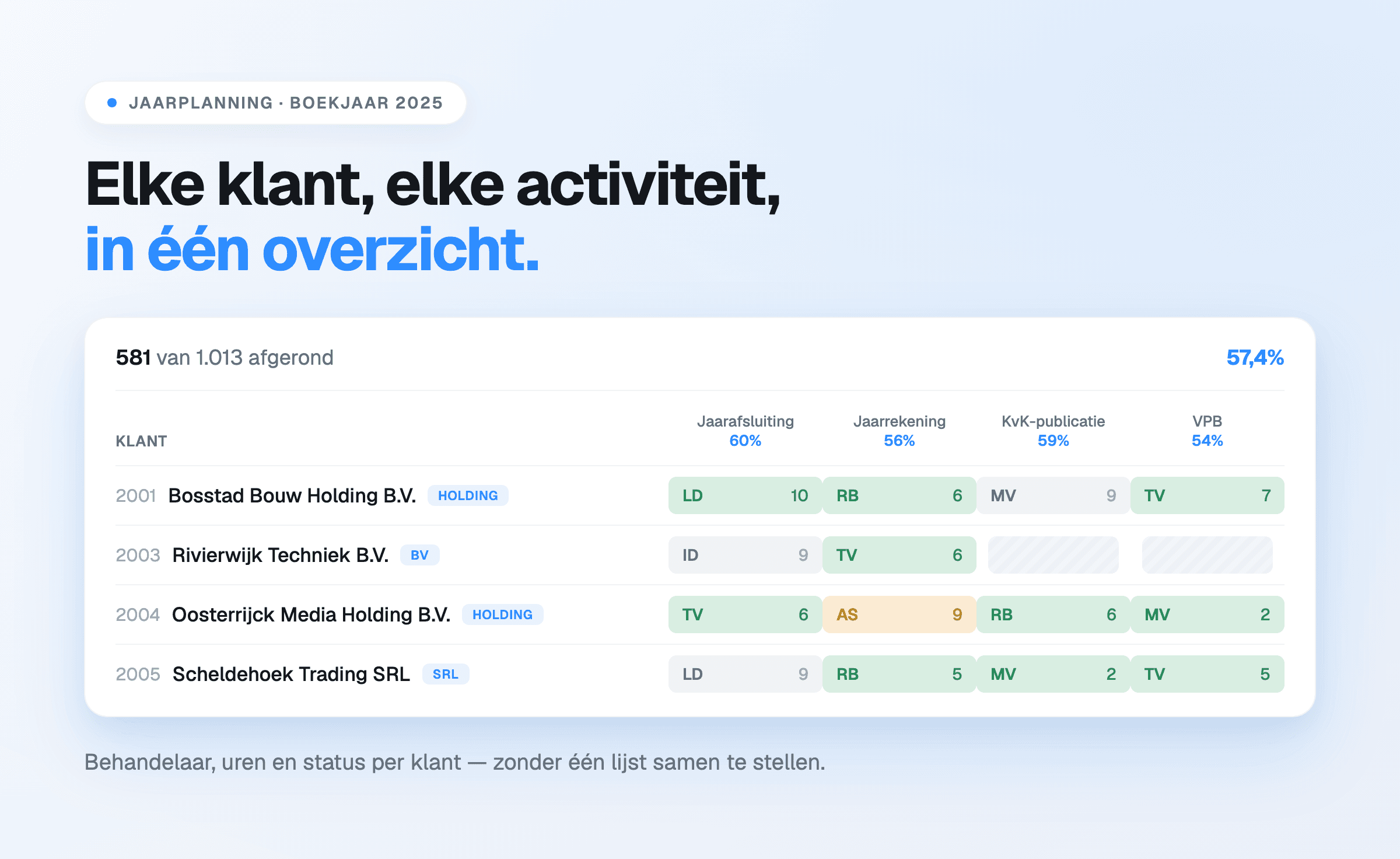
The annual planning works per financial year and holds the yearly work: closing the books,
annual accounts, KVK filing, corporate income tax, personal income tax, VAT
adjustments. It has a Month column: per client it is fixed in advance which month the
year-end work is handled in. Firms that prefer to plan more finely can switch that column to
weeks.
Which activities appear in those two lists is up to the firm.
While planning a year, each employee's contracted, planned and leave hours are shown
side by side. The difference between them is the room that is left.
More than 500,000 recurring tasks are now scheduled in Offsoo — nearly all of it the kind of work
that would otherwise have gone onto a list again every period.
What hangs off a single activity
A cell in that grid is not a tick box but a file. Attached to it are:
- the assignee, shown as initials in the overview;
- the status, with a name and colour set by the firm — for example Not started, Records
received, In progress, Ready for review, Awaiting client approval, Completed;
- the planned hours and, if the firm chooses to show it, the corresponding amount;
- the steps: a checklist per type of work, such as importing bank statements, posting bank
transactions, reconciling VAT/payroll/current accounts, or filing the VAT return;
- free fields for particulars, such as the client's bookkeeping system;
- a timeline of remarks and every status change, with name and timestamp.
That last one is the practical difference with a spreadsheet: opening a file shows not only where
it stands, but how it got there.
Time tracking
Hours are recorded against a client and an activity — both required — with an optional
project and description. Entry works with a time or with a stopwatch. Alongside hours, the same
screens hold expenses and mileage.
The report shows hours with their rate, price and the status billable or invoiced, next to
budgets per client or project. Leave runs along as an activity of its own.
Offsoo does not send invoices. What it does: keep the hours complete, track their status, export
the overview, and make the hours available through the API or the MCP connection to the package
that does the invoicing.
Tasks
Alongside the fixed planning there is a separate task list for work that does not return every
period: onboarding a new client, discussing a set of annual accounts. A task has subtasks, labels,
a date range with a reminder, a priority flag, one or more assignees and a link to a client and
financial year.
Clients
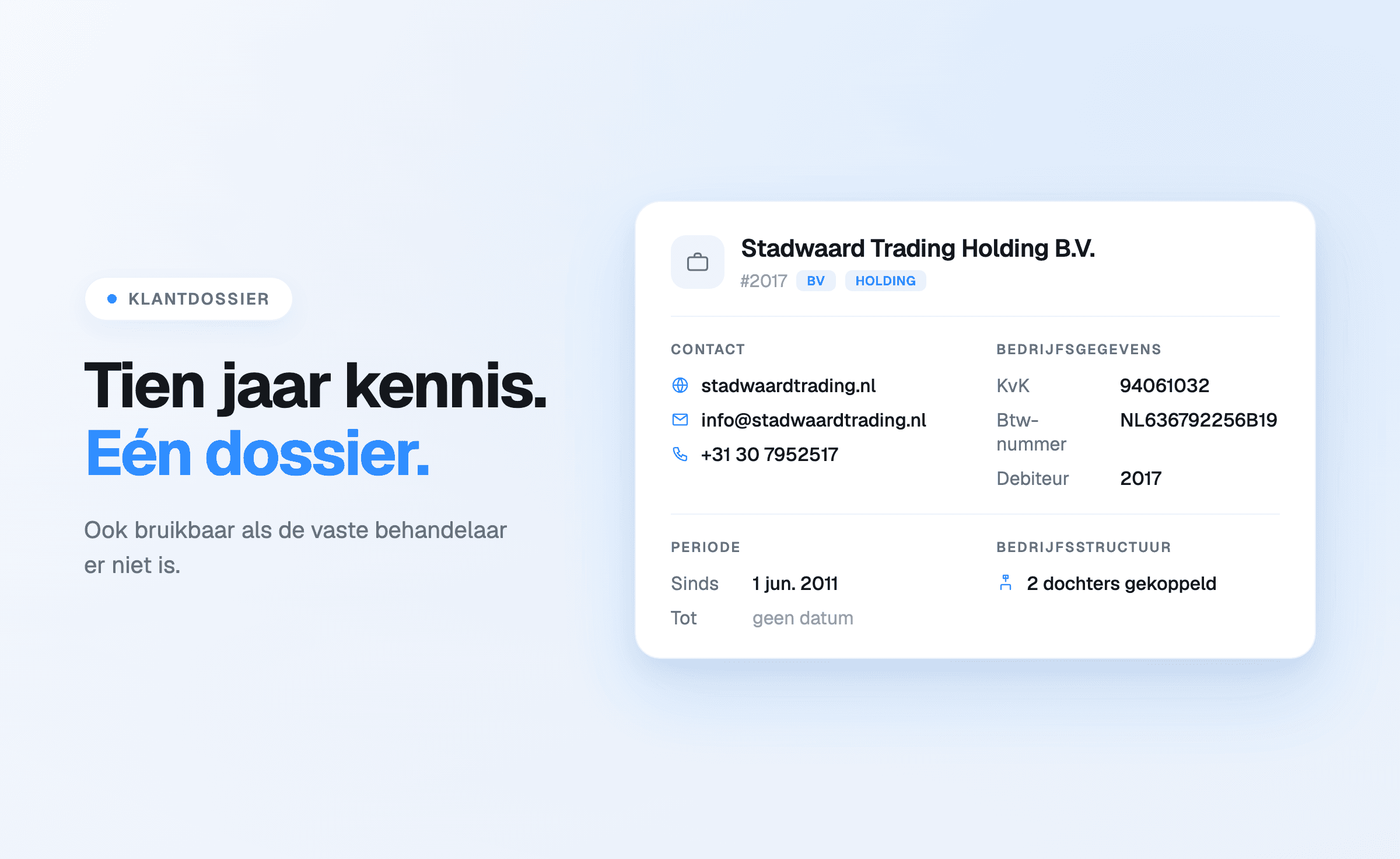
The client file holds name and client number, KVK, VAT, turnover-tax and IBAN numbers, contact
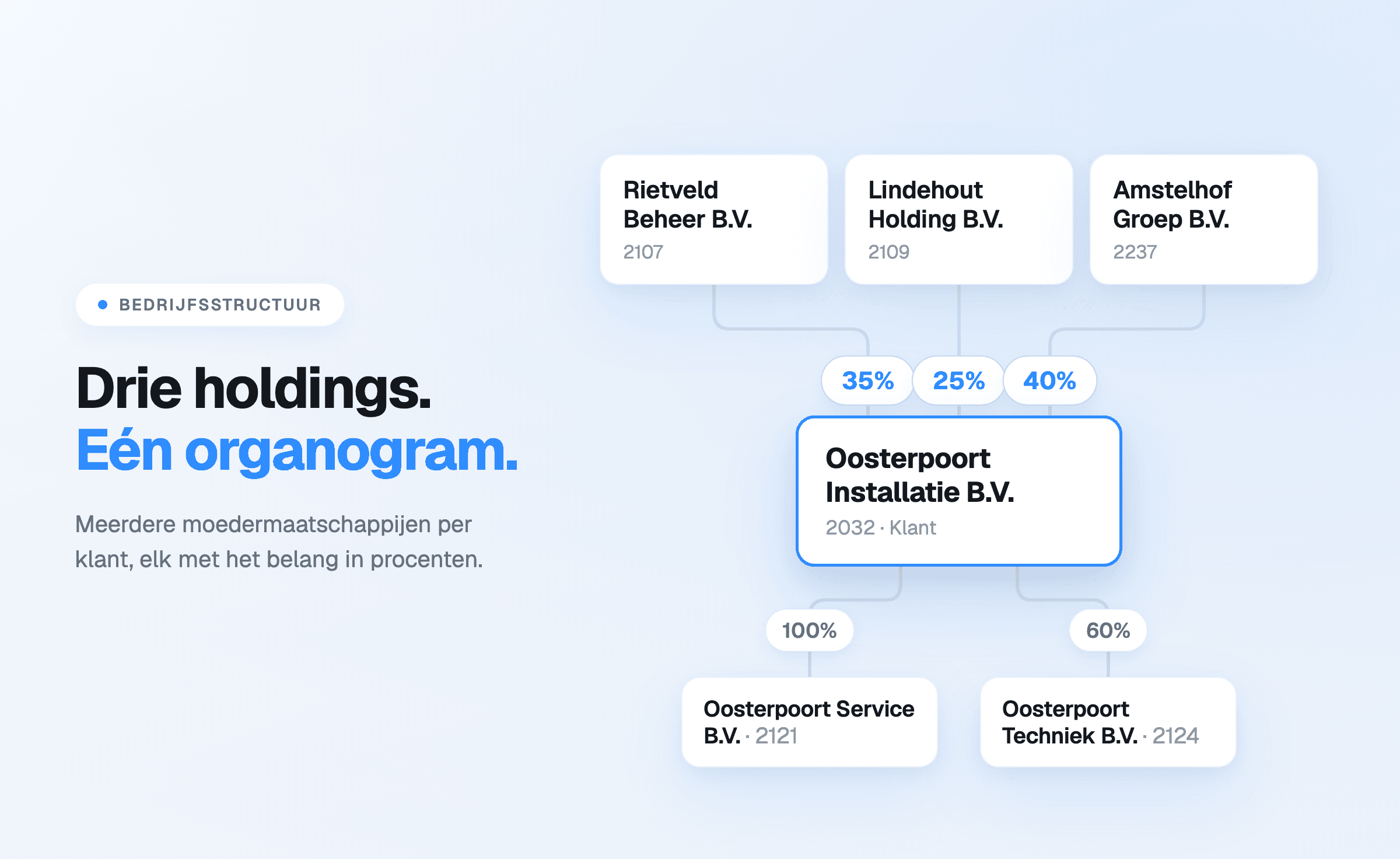
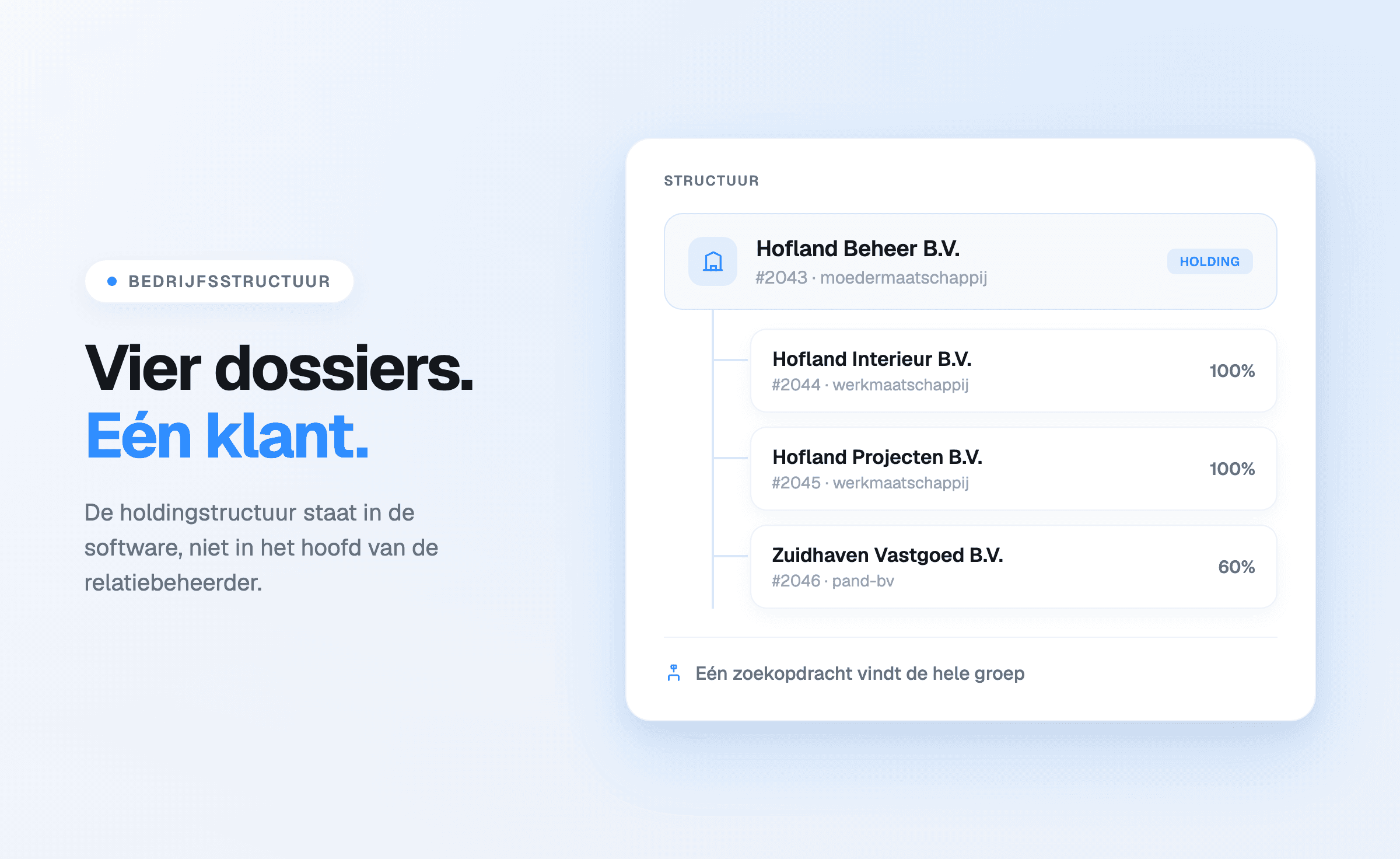
details, notes, tags and keywords, and the period during which the client is a client. Holdings and
subsidiaries are tied together as a company structure.
The KVK connection is on by default for every client: on creation the Dutch commercial register
is searched by name and the details are taken over, after which they stay up to date.
Connections
There are two ways to connect Offsoo to something else: an open API that lets a firm's own
software read and write clients, projects, planning, hours and tasks — with rights per token — and
an MCP connection giving AI assistants read-only access to the environment.
What is not in it
No bookkeeping, no tax filing, no annual accounts, no invoicing. And no automatic redistribution:
Offsoo moves nothing by itself during illness or a busy spell. It shows what is open, who holds it
and who has room — the judgement stays with the firm.
Which firms it is for
Bookkeeping and accounting firms with a lot of recurring work, from roughly one to forty
employees. The difference is largest as soon as there is more than one assignee: at that point it
is no longer about remembering what has to happen, but about making visible what sits with whom.
For a one-person practice with a manageable client base, a spreadsheet often remains adequate —
where that boundary sits is described in Offsoo vs Excel.
The trial runs for 14 days, needs no payment details and starts with a populated demo environment.
Start a free trial, review the
pricing or book a
demo.