Most CRM software is built for companies bringing in new clients every week: a funnel with stages,
opportunities and expected revenue. A bookkeeping practice works the other way round. The client
list changes only slowly, and the value sits not in acquisition but in what ten years of knowledge
about that client adds up to.
So the question in a firm is not "how do we follow our leads", but: where does what the firm knows
about a client live, and can a colleague reach it when the regular assignee is away?
Where client knowledge normally sits
Scattered, and that is the problem. The address details are in the bookkeeping package, the contact
in someone's phone, the delivery arrangement in a mailbox, and the reason last year's return
deviated in the assignee's head.
As long as the same person has handled the client for years, that works. It breaks down at
holidays, illness, departure or growth — precisely the moments when the firm needs that knowledge
most.
What the client file holds
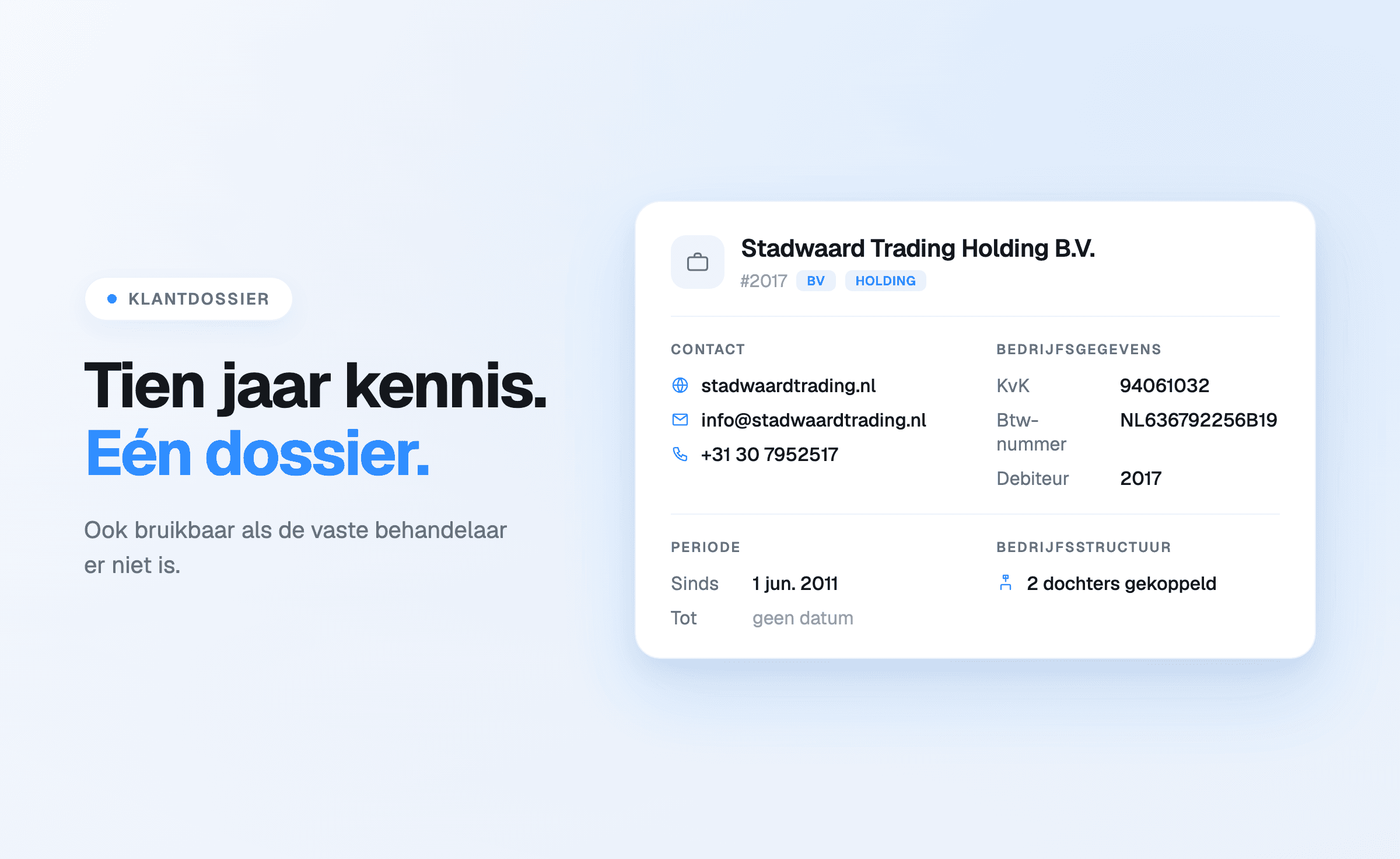
Offsoo client management is built around the details a bookkeeping practice
actually uses:
- company details — name, client number, debtor number, KVK number, VAT number, turnover-tax
number and IBAN;
- contact details — email address, phone, mobile, website and the contact person;
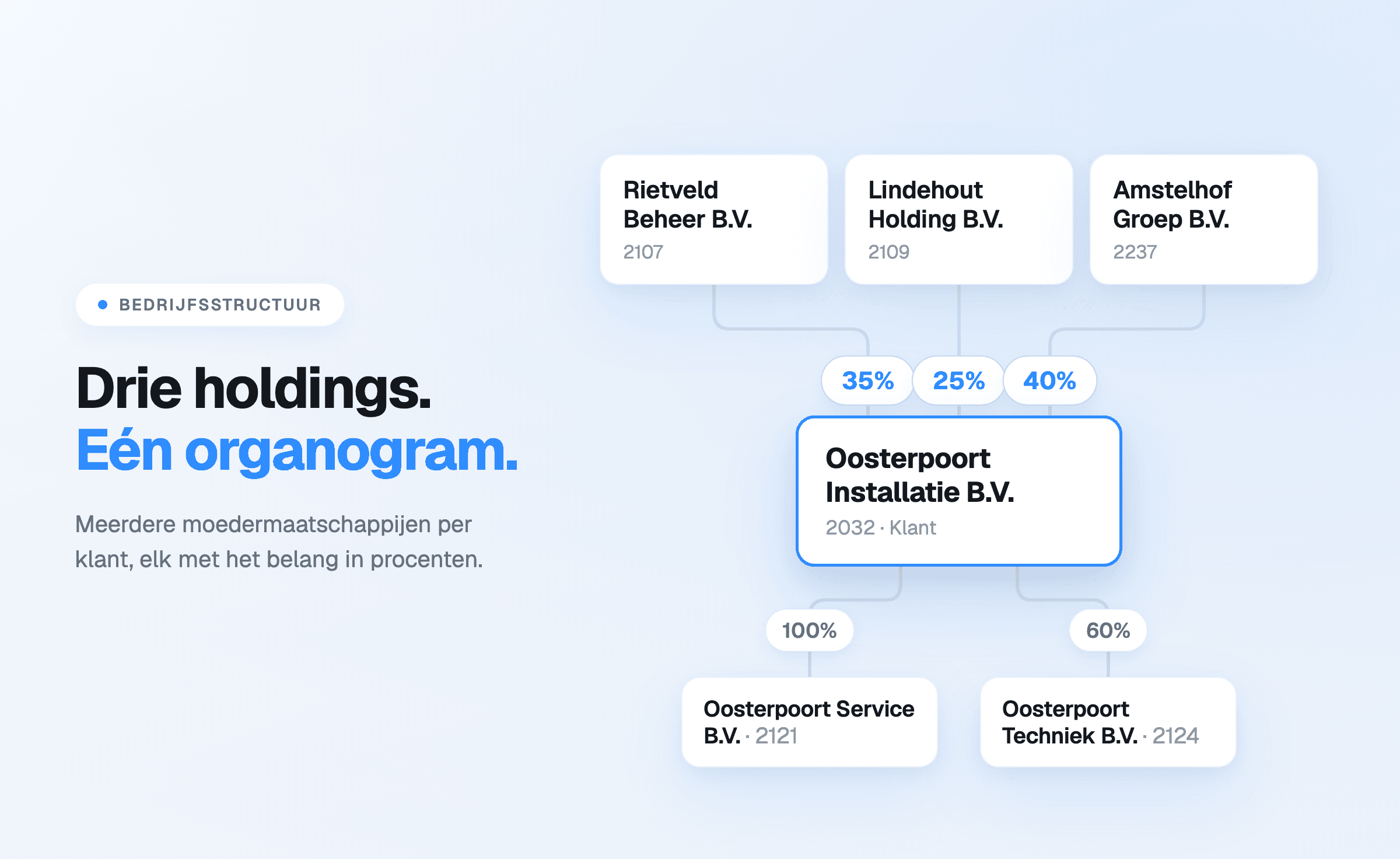
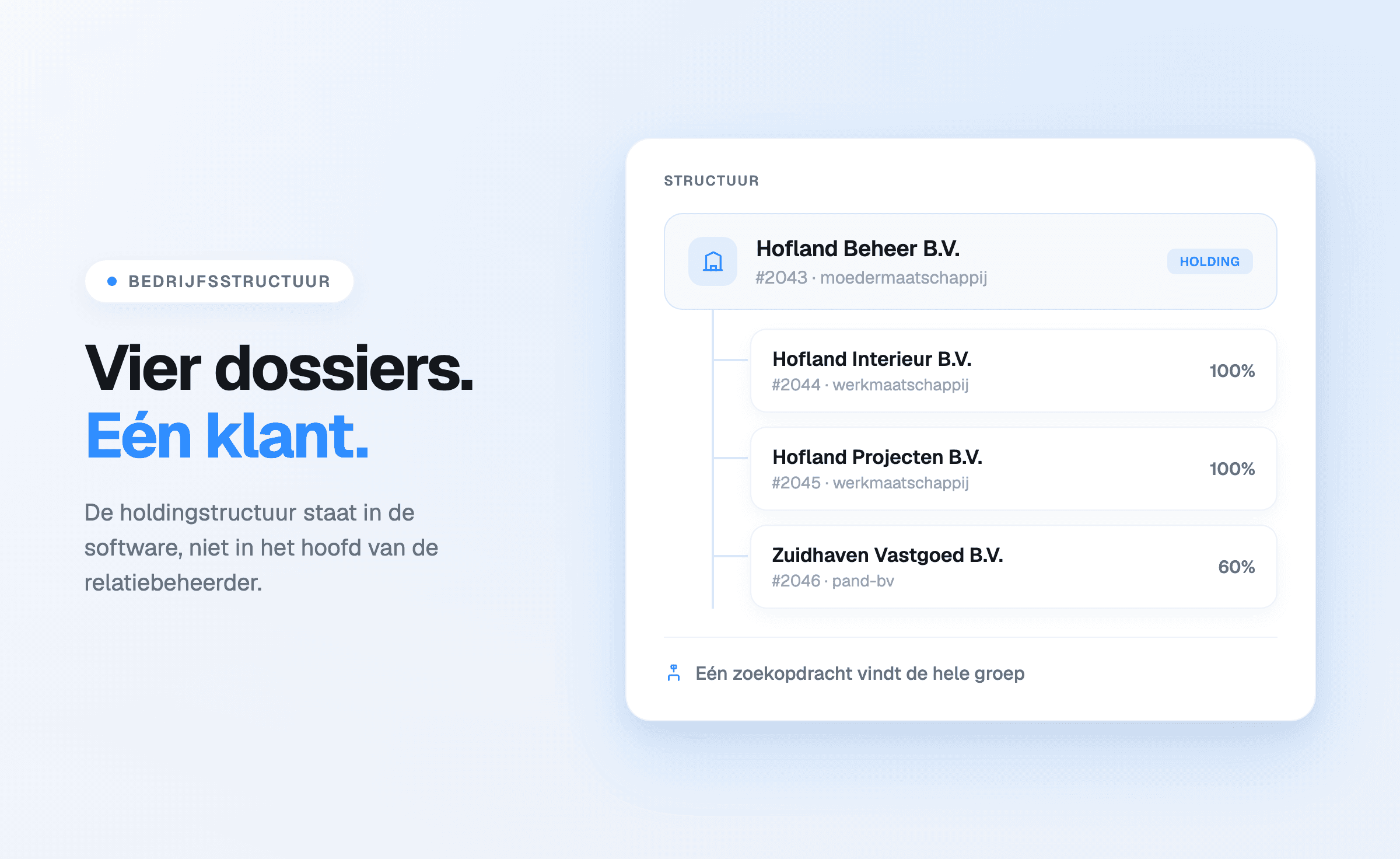
- company structure — link a parent company, so holdings and subsidiaries sit together in the
overview instead of apart;
- period — since when the client is a client, until when, and the incorporation date;
- notes and tags with keywords, which also make filtering on the firm's own criteria
possible.
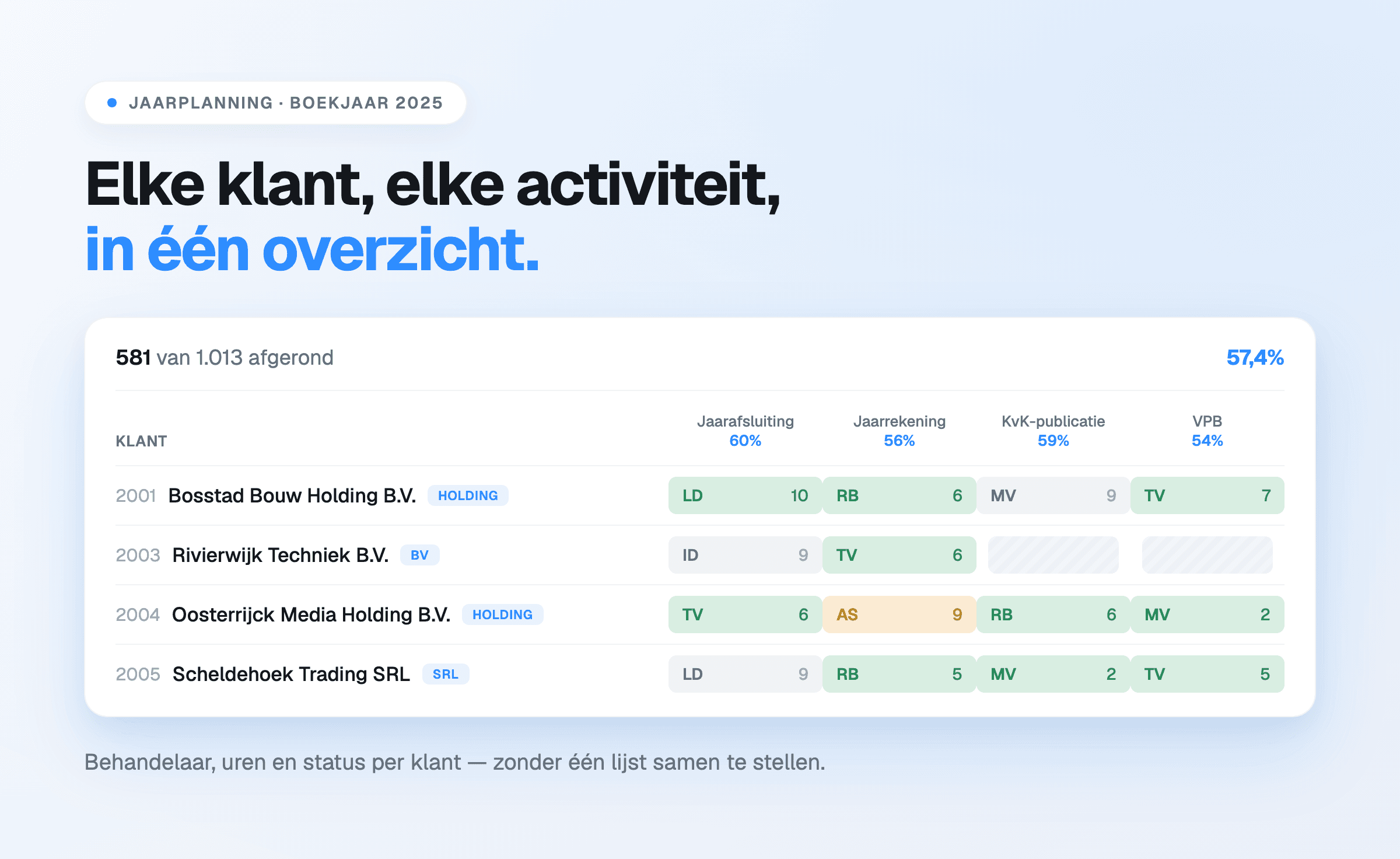
Tags do more work here than they look. BV, holding, sole trader, partnership, foundation: they sit
next to the client name in the planning overview, so a filter on legal form immediately produces
the right group of files.
The link that makes the difference
Putting client data in one place is not remarkable. What genuinely saves a firm time is that the
client file sits next to the planning and the hours.
That makes it readable per client which activities are open this year, who handles them and how
many hours went into them. And it works the other way: opening an activity in the planning shows
which client it concerns and what was recorded about it earlier.
The substantive history of a file, though, does not sit with the client but with the activity:
every status change and every remark lands on a timeline there, with name and timestamp. "Review
can start; bank and VAT reconciliations are done" belongs to that return, not to the company in
general.
What it delivers
At handover. A colleague taking over a file starts with the context instead of a round of
questions. That is the difference between an hour of onboarding and an afternoon.
At growth. Going from five to fifteen employees means knowledge that used to circulate in
conversation has to be recorded somewhere. Firms that only arrange this once something goes wrong
arrange it at the most expensive moment.
At the annual client conversation. What was done during the year and how much time it took sit
side by side — a factual basis for a conversation about rates or service.
With errors. A wrong address or an outdated contact leads to post that does not arrive. Current
basic details prevent a category of errors nobody finds interesting but everybody recognises.
Where it goes wrong in practice
- Duplicate entry. When client data is maintained in two places, one of them always ages. The
KVK connection removes that manual work for the basic details —
how that works is described here.
- The mailbox as archive. Arrangements existing only in an email thread are unfindable for the
rest of the firm.
- Recording without an agreement. When it is unclear what belongs in a note, one person enters
everything and another nothing. One rule is enough: whatever a colleague would need to know to
take the conversation over.
Start a free 14-day trial or see what
client management does.