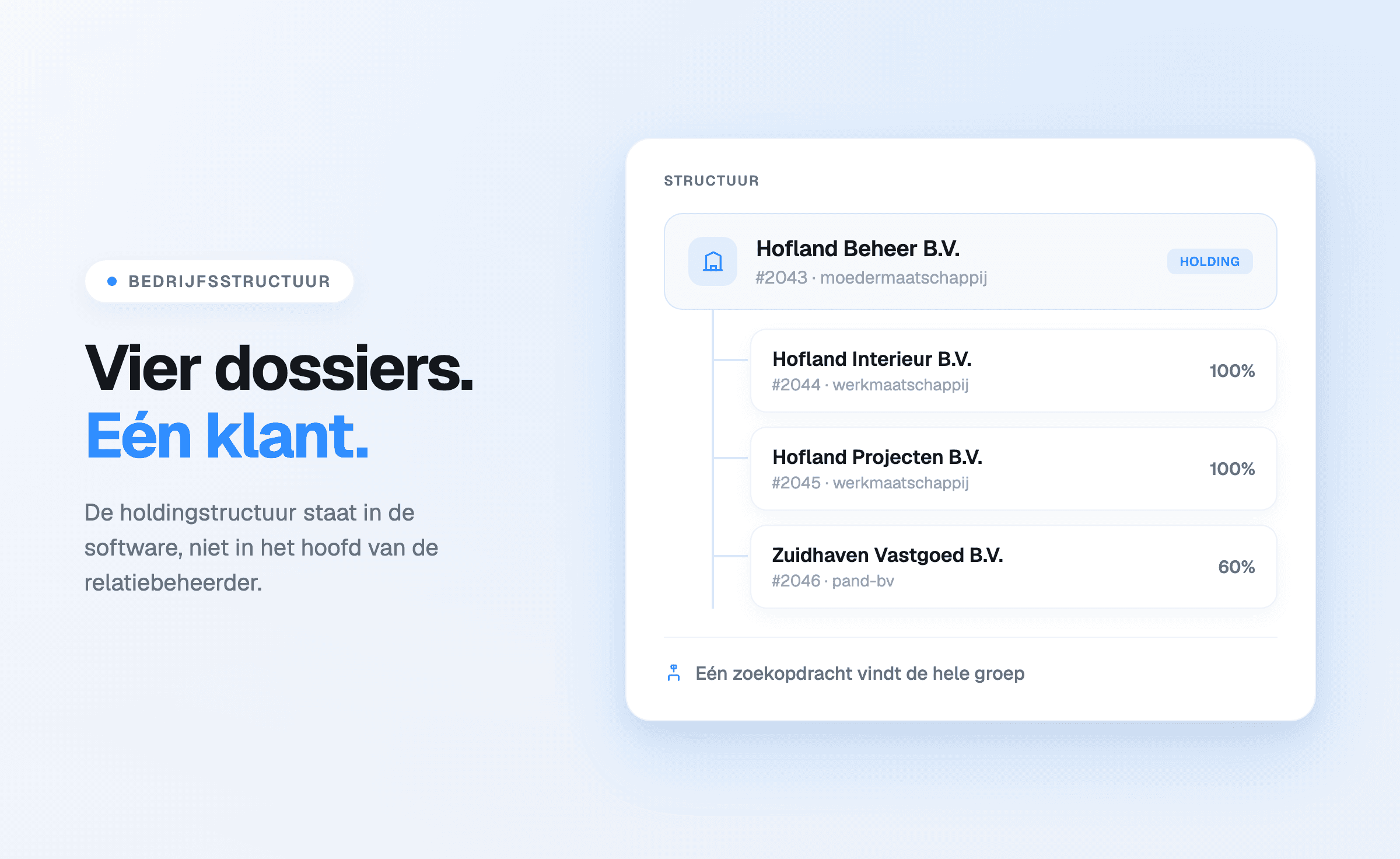
The client file in Offsoo shows a client's company structure as an org chart: holding companies,
subsidiaries and the percentages between them in one view. A client can also be linked to multiple
parent companies, each with its ownership percentage. No more reconstructing a structure from deeds
and loose notes.
Why the structure belongs in the client file
For clients with a holding structure, the ownership information tends to live scattered across
deeds, register extracts and loose notes. Whoever needs the proportions — for the year-end work,
for advice, for the client file — looks them up again every time. An org chart that sits with the
client itself makes that lookup unnecessary: the structure sits next to the planning, the hours and
the rest of the file.
From compact card to full org chart
The client overview carries a compact Business structure card with the direct chain. One click
opens the full org chart: the percentages sit between the companies, every company is clickable to
jump straight to its file, and the view can be zoomed and downloaded — for instance to include the
structure in a file or an advisory report.
How linking a client to a parent client works is covered in the earlier article on client hierarchy.
How the structure is recorded
The structure is recorded when editing a client, under the Business structure heading. That is
where the parent companies are chosen — several per client — each with the percentage it holds in
the client. It works for a simple chain — a single holding company owning one hundred percent —
just as well as for a web of holdings with different stakes.
The planning knows the structure too
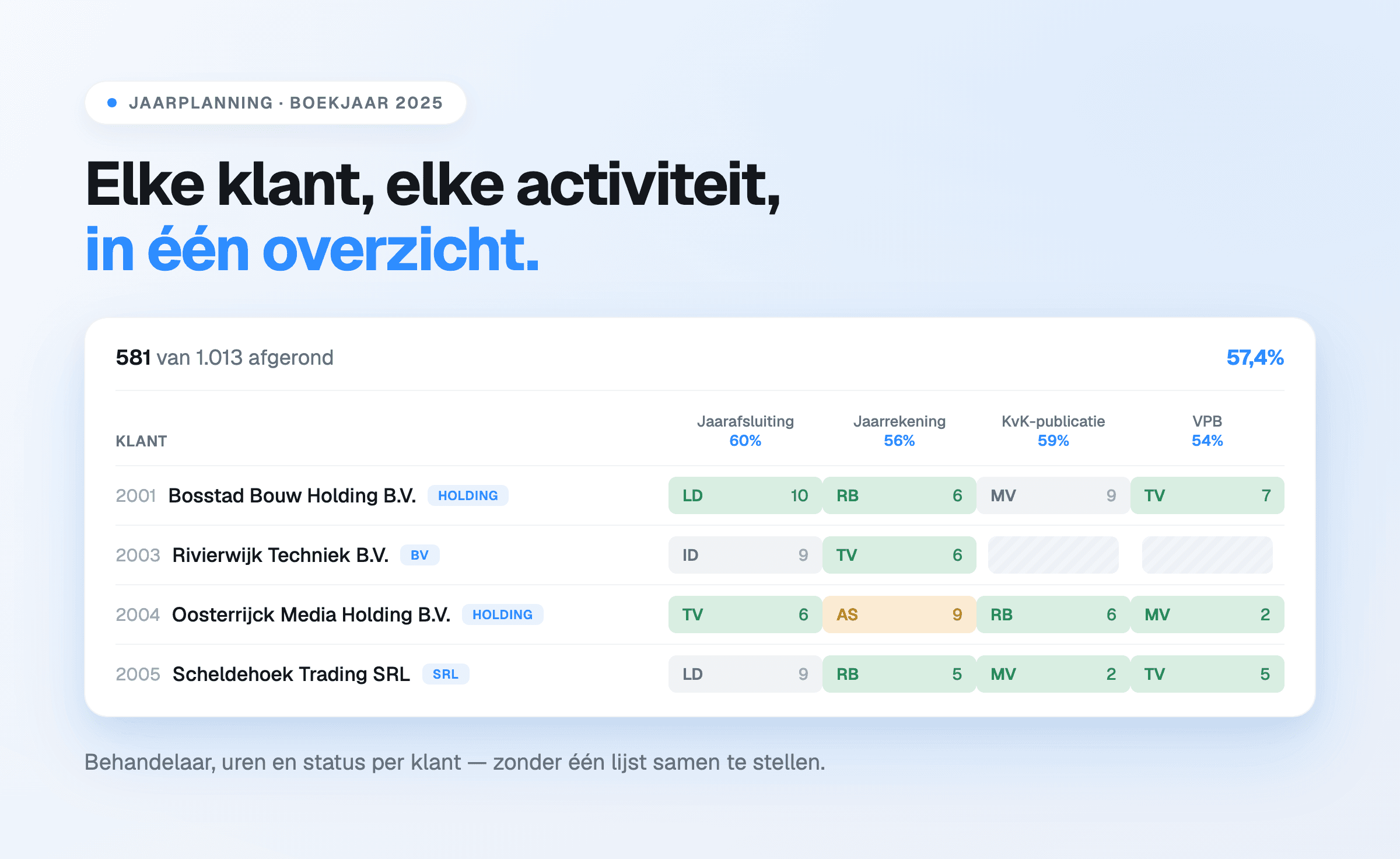
The hierarchy carries through to the monthly and annual planning: linked clients group under their parent company there, so a group's work sits together.
A client with multiple parent companies appears under each parent company when selecting by client
name or client number. Clicking one of the client's activities selects it under all parent
companies at once — the status stays the same everywhere — and the client counts once in the
totals.
What this means for the daily work
- The proportions can be read without reaching for the deeds.
- New colleagues see in one view how a group fits together.
- For the client file, the structure is available immediately and can be downloaded.
In Offsoo the org chart is part of client management, next to planning and time tracking — not a
separate drawing tool, but a view that grows with the client data that is already there.
Frequently asked questions
Can a client have more than two parent companies?
Yes. A client can be linked to multiple parent companies, each with its own ownership percentage.
Does the org chart work for simple structures too?
Yes. A chain from a single parent company to a subsidiary is shown the same way, with the
percentage on the line.
Can the org chart be downloaded?
Yes. The view can be zoomed and downloaded from the client file.
Where does the org chart live in Offsoo?
The compact Business structure card on the client overview opens the full org chart with one
click. Recording happens when editing the client, under the Business structure heading.
Does a client with multiple parent companies count twice in the planning?
No. The client appears under each parent company in the overview, but counts once in the totals.
Start a free trial of 14 days or take a look at
client management.