Nearly every bookkeeping practice started with Excel, and for good reason. A spreadsheet is free,
immediately available and has no learning curve. For recording a client list with its deadlines,
it is a perfectly good instrument.
It only starts to pinch once the spreadsheet does something other than record: once it has to
carry the whole firm's planning. At that point a file is expected to serve several people at the
same time, to remember what happened last period and to show what is still open. That is not
what a spreadsheet was built for.
What Excel does well
To keep the comparison fair, there are things a spreadsheet is hard to beat at.
- Freedom. An extra column, an adjusted formula, a tab for something new — all without asking
anyone's permission.
- Calculation. For a one-off calculation or analysis, Excel is faster than any package.
- Everyone knows it. There is no firm without at least one person who handles Excel well.
Those three properties explain why a planning starts in Excel. They also explain why it is hard
to stop.
Where it goes wrong once more people look at it
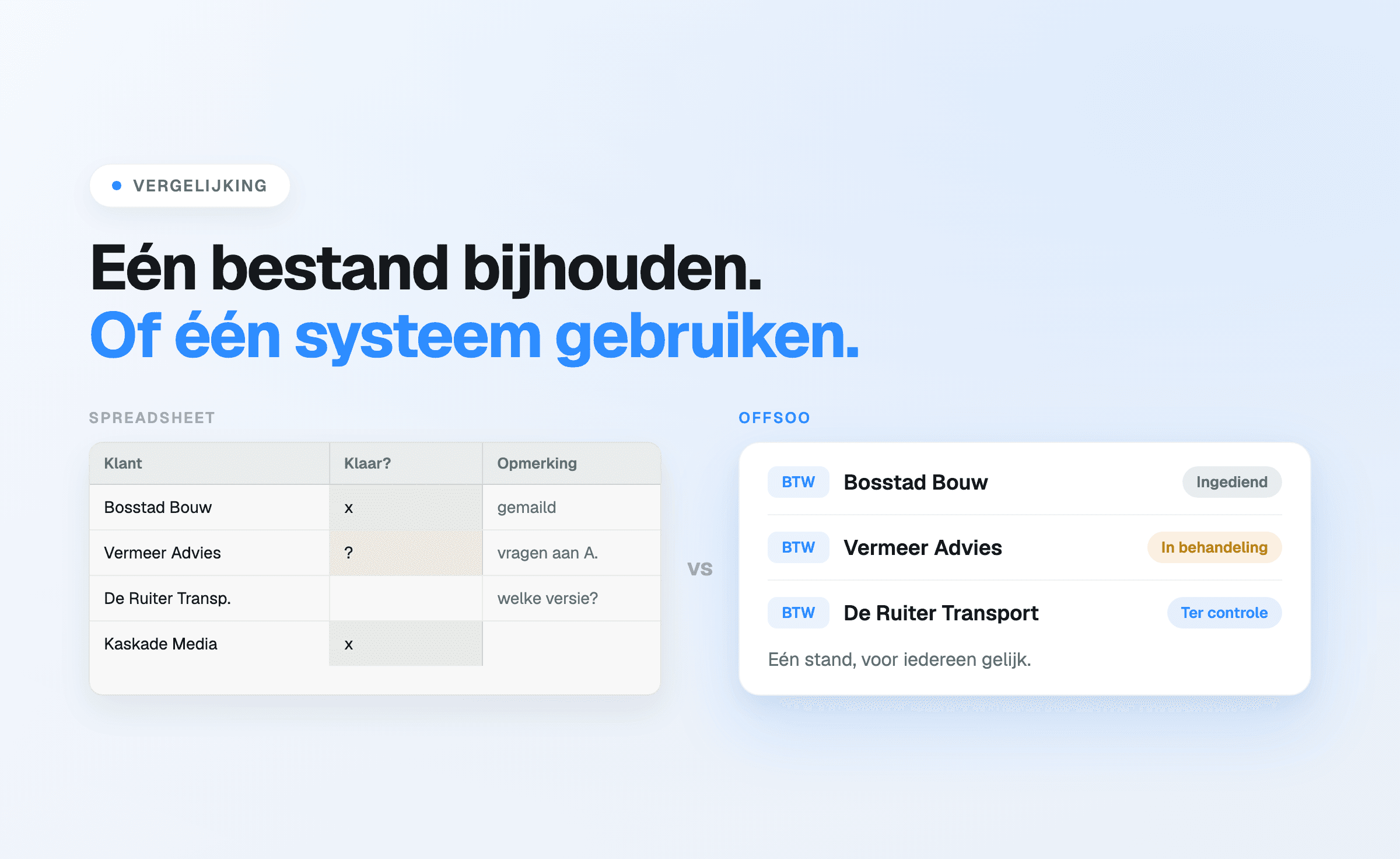
There is never one version. As soon as the file is shared, emailed or opened locally, variants
appear. The question "which one is the latest?" is the first symptom.
Changes leave no trace. A status that was adjusted, a deadline that moved, a name that was
replaced: afterwards there is no way to tell who did what, when, or why.
Ticks do not mean the same thing to everyone. In one column "done" means processed, in another
it means filed. What is genuinely still open costs a walk past colleagues.
Repetition is manual. Copying again every period, clearing columns and checking the client
list. That is the work with the lowest return and the highest frequency.
Permissions do not exist. Anyone who can open the file can see everything and change
everything — including by accident.
Five differences in practice
Recurring work
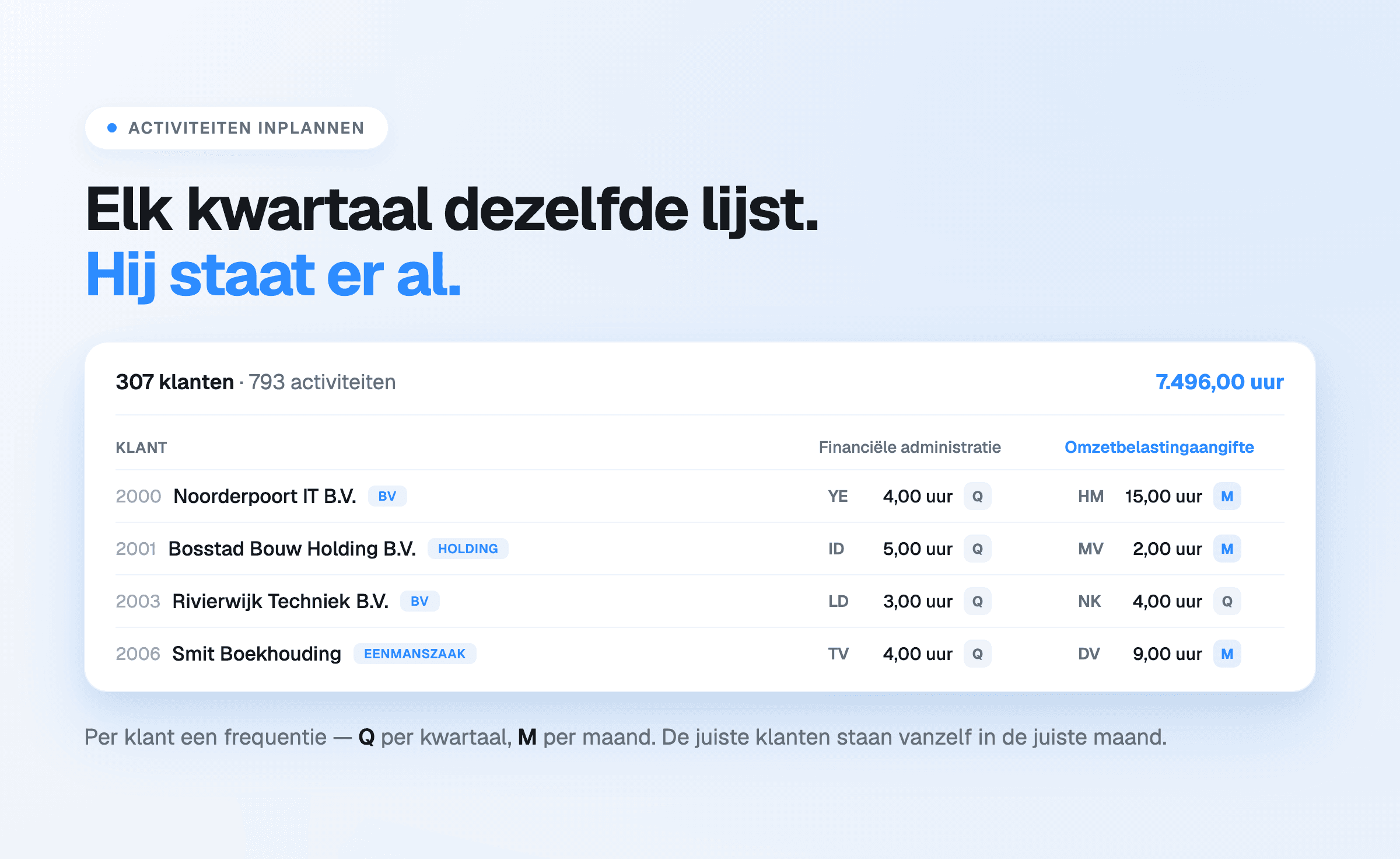
In a spreadsheet, a quarterly round is a tab rebuilt every quarter. In Offsoo it is an activity that recurs per client at a frequency:
monthly, quarterly, four-weekly, half-yearly, annually or a self-chosen set of months. It appears in the right period by
itself, with the assignee, the planned hours and the checklist of steps already attached.
Status
A coloured cell is an agreement between colleagues. A status in the planning is a property of the
work: freely configurable per firm, identical for everyone, and filterable. What is still open in
the final week is then a filter rather than an inventory.
Hours
In Excel, planned hours and recorded hours live in separate files, if they exist at all. In Offsoo
they hang off the same activity, which makes it visible per client what the work cost against what
was set for it. That is the basis for both capacity planning and pricing.
Client data
Addresses, contacts and KVK details in a spreadsheet start ageing the moment they are
entered. In Offsoo they sit in the client file, linked
to the planning and the hours, with the KVK connection keeping the basic details current.
Handover
A spreadsheet planning sits partly in the file and partly in the head of whoever maintains it.
Illness or departure takes that second part with it. When the status, the checklist of steps and
the timeline of earlier remarks are recorded per activity, someone else can pick the work up
without needing an hour of questions first.
When a spreadsheet remains adequate
Not every firm needs planning software. For a one-person practice with a manageable client base,
where one person handles everything and nothing has to be handed over, a spreadsheet does its job
well. The boundary sits somewhere around the moment a second assignee joins, or the number of
recurring activities grows beyond what one person can check from memory.
Two signals that the boundary has been passed in practice: time is structurally spent on
maintaining the file itself, and work has been done twice or forgotten at least once because the
latest state was not visible.
What switching costs
Less than usually assumed. The client list from the spreadsheet is the basis and comes across
through an import. Recurring activities are configured per type of work — VAT, payroll, year-end —
not per individual client. For a firm with a few hundred files that is a matter of hours, spread
over a few sessions. The steps are described in getting started in four steps.
What stays: Excel is not abolished. For analyses, exports and one-off calculations it remains
useful — Offsoo exports hours, clients and planning to Excel, CSV and PDF. It just loses the role
of firm-wide planning.
Start a free 14-day trial, no payment details, or book a
demo.