A change to a client's planning should apply from a month or year you choose. More hours for the
bookkeeping from January, a different assignee for the annual accounts, a client moving its payroll
elsewhere on 1 January: what was planned before stays as it was. That is why a planning change in
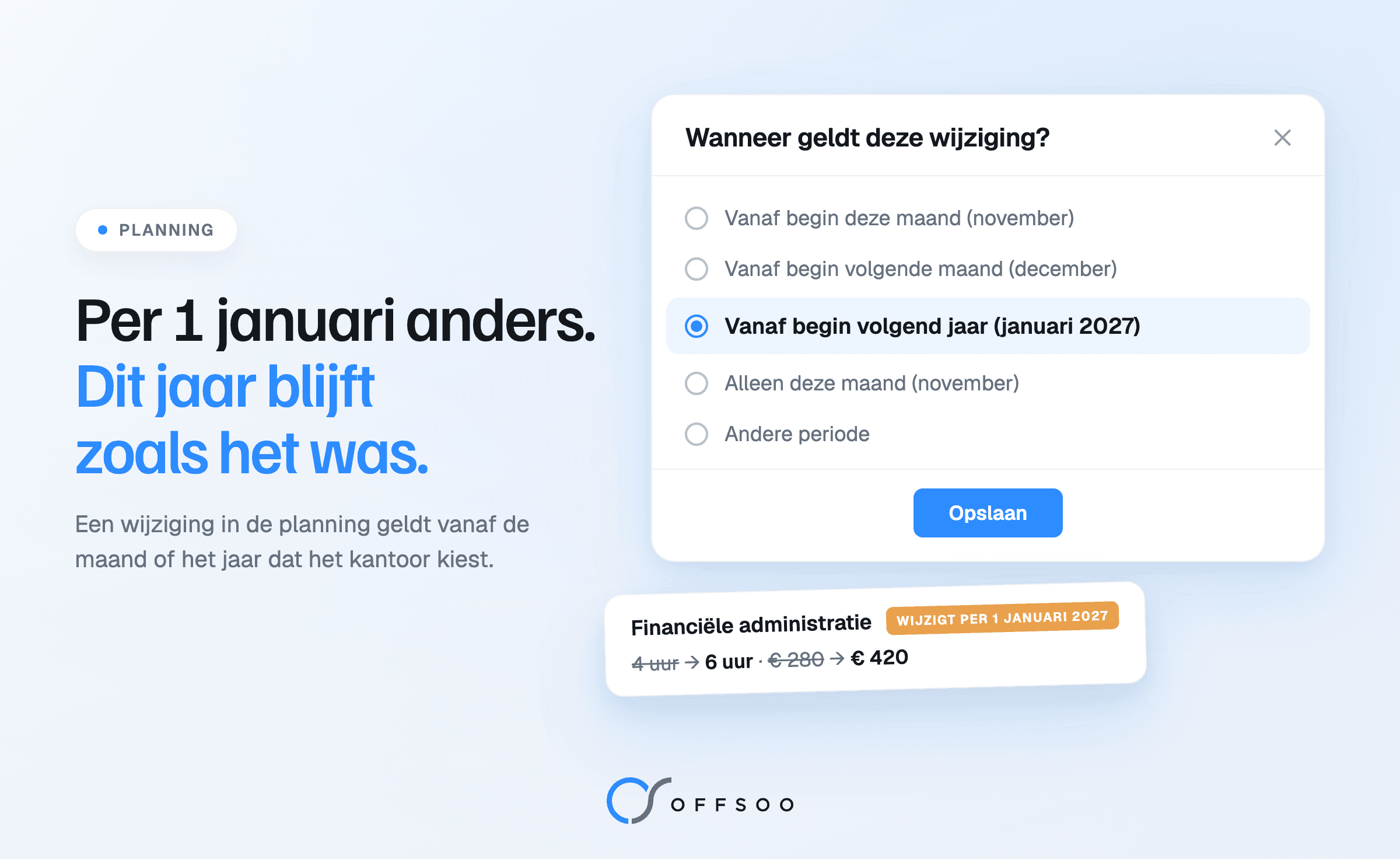
Offsoo asks "Wanneer geldt deze wijziging?" — when does this change apply?
It is November. The firm is preparing next year's planning: rates go up, two clients get a new
assignee and one client moves to a quarterly VAT return. In a planning that only knows "now", that has
to wait until 2 January, or it changes the months of this year that are still open as well. Both are
wrong.
Why each planning change needs a start date
A client's planning is not fixed. Hours, frequency, assignee and price change over time, and usually
not today but from an agreed moment: the first of the month, the new year, the next quarter.
Without a start date it goes wrong in two ways:
- Too early. The new hours or the new assignee also appear in the running months. This year's
capacity no longer adds up, and a colleague suddenly sees work that is not theirs yet.
- Too late. The change waits until January on a to-do list. In the first week of the year
everything has to be updated at once, just as the year-end work gets going.
A change with a start date solves both: it is ready now, and takes effect at the agreed moment.
How it works in Offsoo
Open the client, go to the Planning tab and click an activity. Change what changes, such as the hours,
the price, the frequency or the assignee, and click Opslaan. Offsoo then asks "Wanneer geldt deze
wijziging?":
- From the start of this month or from the start of next month;
- From the start of next year, for example January 2027;
- Only this month, for a one-period exception;
- Everything, including the past, when something should always have been different;
- Another period, with its own start and, if needed, an end — for a temporary change of three
months, for example.
For yearly activities, such as the annual accounts, you choose by year: from this year, from next year
or only this year. Above the options, one sentence says what will happen: from which month the change
applies, and that the months before it stay as they were.
After saving, the client shows a label next to the activity, such as Wijzigt per 1 januari 2027
(changes on 1 January 2027). Hover over it to see what changes, for example 4 hours to 6 hours. Until 1
January, this year's planning stays exactly as it was.
A client that stops
Stopping works the same way. Switch the activity off and click Opslaan; Offsoo asks from when it stops
and already suggests next month. Choose the start of next year, for example, for a client moving its
payroll elsewhere on 1 January.
Until that date the work simply stays in the planning, and the client shows Wordt beëindigd per 31
december 2026 (ends on 31 December 2026). Nothing is lost: periods that drop out are archived, and
work that already had a status stays visible.
For many clients at once, the same works in the planning assistant: select the clients, change what changes and choose from when it applies, for all selected clients in one go. After saving, the planning assistant remembers the choice for later changes of the same kind while the selection, month and year remain unchanged. Switching an activity off on its own has a separate answer. A different selection, month or year starts a new choice.
Seeing what changed
With a start date per change, a client's planning has a history. Offsoo shows it in two places:
- The planning history shows every period per client and activity: from when, with which
frequency, assignee, hours and price, and whether the period is running, still to come, ended or
archived. A period can be edited, archived and restored there.
- The log shows who changed what, when, and from which period it applies, with the old and the new
value.
So nobody has to guess why a client suddenly has different hours in March: it is right there, with the
name of the colleague who changed it.
What stays the same
- The statuses. Work that already had a status stays visible in the monthly and yearly planning.
If it falls outside the planning because the activity stopped, it can still be read but no longer
changed.
- The steps. They apply to every period; a change to the steps alone is saved at once, without
the question of when.
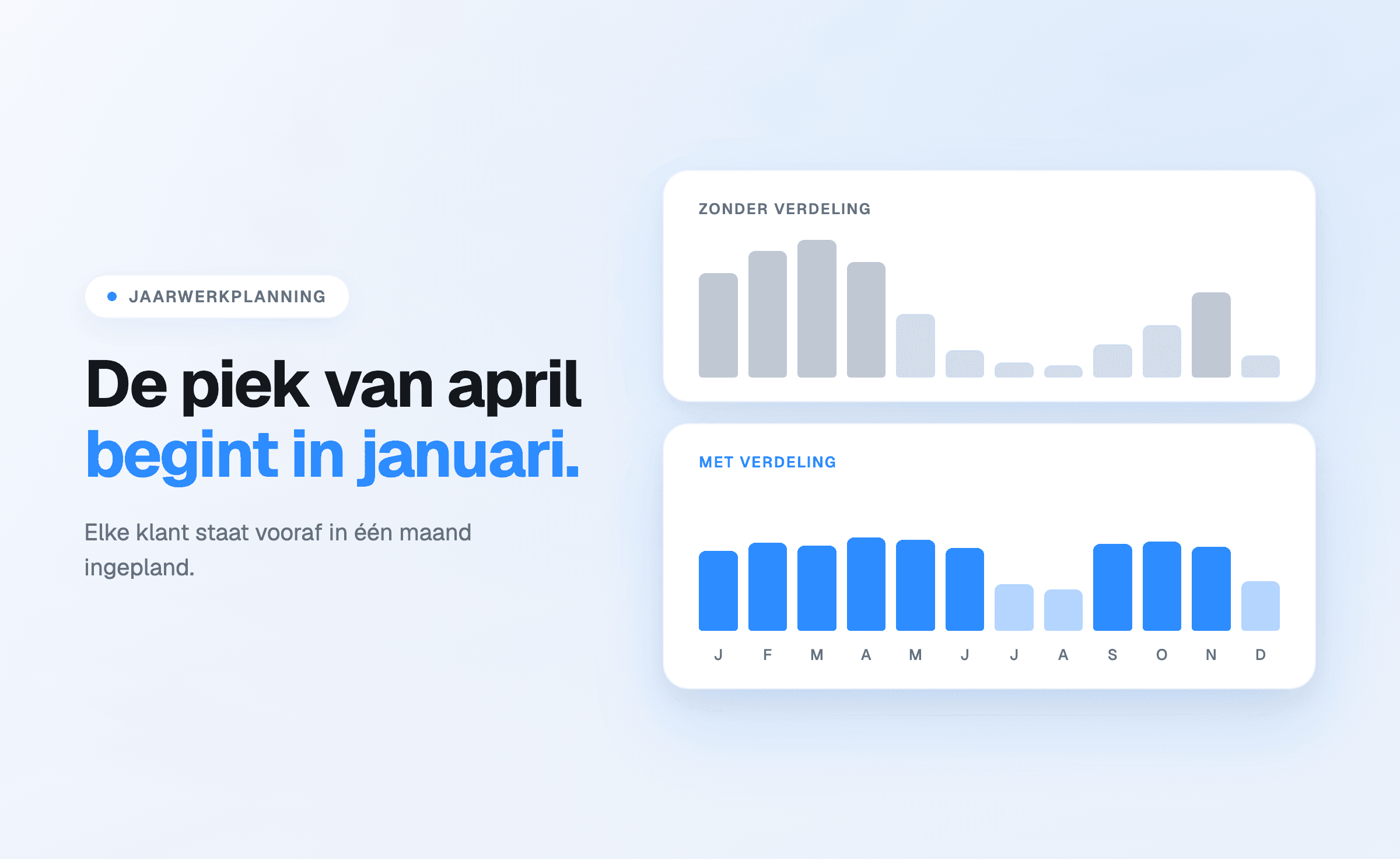
If you spread the year-end work across the year, you can now record next year's distribution in
advance; what that distribution can look like is in spreading annual accounts across the year. For the VAT round, where clients regularly move from monthly to quarterly, the approach is in planning the VAT round without separate lists.
Frequently asked questions
Can next year's planning be prepared in November?
Yes. Choose "from the start of next year" when saving. The change is then ready and takes effect on 1
January; until then, this year's planning stays as it was.
Does a change alter months that have already passed?
Only if you choose to: with "everything, including the past", or with another period that starts in
the past. With "from the start of this month", "from the start of next year" and the other choices
from now on, the periods before it stay as they were.
What happens to the statuses when a client stops?
They are kept and stay visible. Work that falls outside the planning can still be read but no longer
changed. A stopped activity can be switched on again; archived periods without statuses then come back
by themselves.
Can you see who changed the planning?
Yes. The log of each activity for a client shows who changed what, when and from which period, with
the old and the new value.
Does this work for many clients at once?
Yes. In the planning assistant a change applies to all selected clients, with the same question of
when.
Start a free 14-day trial or book a
demo.